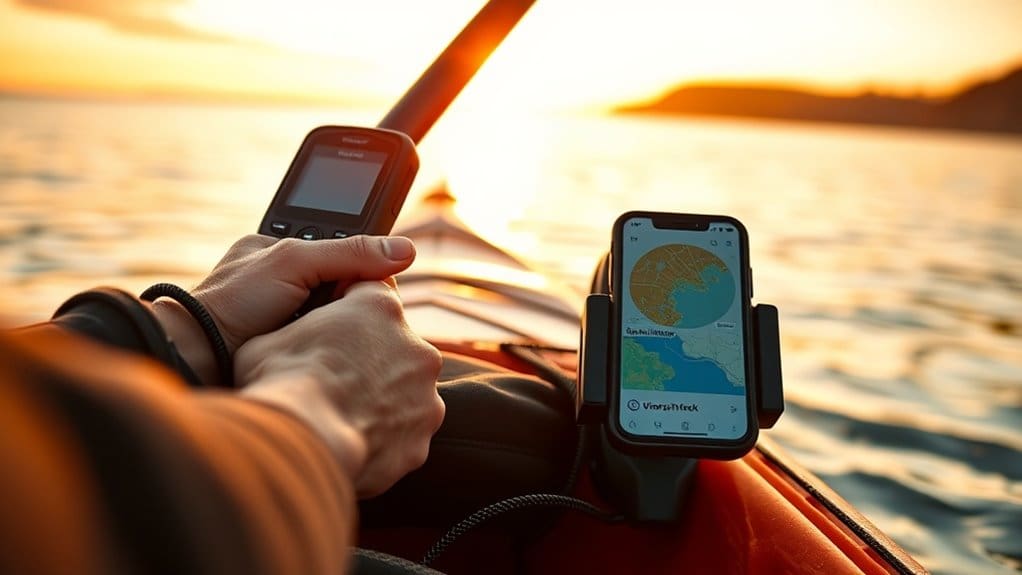
You’ll want a layered setup: use your phone with downloaded charts, tide tables, and marked waypoints for nearshore paddles with cell service, but bring a rugged handheld GPS as an off-boat backup for better reception, long battery life, and topo/marine maps, and consider a chartplotter if you need big, sunlight-readable screens with depth/tide overlays; test GPX export/import, preload offline tiles, pack a power bank and compass, and practice your kit—keep going and you’ll get step-by-step how-tos.
Some Key Takeaways
- Use your phone with downloaded offline marine/topo charts for near‑shore paddling with cell service, but bring a power bank for GPS drain.
- Choose a handheld GPS for remote trips—better reception, longer battery life, ruggedness, and as a true off‑boat backup.
- Sync routes by exporting/importing GPX from desktop planners (CalTopo, Garmin Explore) into phone and handheld before launch.
- Record track logs at appropriate intervals (1–5s for detail, 5–15s for day trips) to balance battery life and route fidelity.
- Mount chartplotters or handhelds securely (RAM, Scotty, YakAttack), tether backups, and test all devices and offline maps before launch.
Which Navigation Tool Fits Your Trip: Phone App vs Dedicated GPS?
Think about your trip and pick the tool that matches it: if you’re paddling near shore with cell service and you want rich charts, tide overlays, and easy route planning, use a phone app—just download the maps for offline use, mark key waypoints ahead of time, and bring a charged power bank since GPS can chew through about 10–20% battery per hour. You’ll find smartphone apps give great detail and low cost, but when you head remote or under canopy, a handheld GPS brings better reception, longer battery life, and rugged reliability, so pair devices when you can. If you own a Garmin, sync routes with Garmin Explore and link a backup communicator for safety, and always test offline maps before launch. For longer trips consider carrying essential gear like a handheld GPS and spare batteries to ensure reliable navigation in remote areas.
Top Mapping Apps for Paddlers and When to Use Each
When you’re picking a mapping app for a paddling day, start by matching the app’s strengths to the trip you’re planning—are you scouting rivers with put-ins and portages, cruising coastal bays with tides and depth contours, or plotting a multi-day backcountry paddle where topo detail matters? If you need river-specific info, grab NRS PaddleWays for guidebook-style routes, portage alerts, and offline maps, it’s built for river trippers. For coastal work pick Navionics or Wavve for marine charts, tides and currents, depth shading and simple GPS tracking. CalTopo excels at route planning and high-res topo plus U.S. marine charts, and Avenza is the best all-around kayak app for purchasable offline maps and strong GPS tracking. Syncs like Garmin Explore and light backups like Apple Compass help tie it together. For dedicated paddlers also consider integrating marine GPS units into your setup for reliability and offline capabilities.
Best GPS Units and Chartplotters for Kayaks and Small Boats
When you’re picking between a chartplotter and a handheld GPS, think about where you paddle and how you want to mount and power the unit—fixed chartplotters give big, sunlight-readable screens and easy wiring but weigh more, while handhelds are lighter, longer-lasting on batteries, and double as a reliable backup you can tuck in a dry bag. Check for mounting options and power plans up front, since you’ll want a secure kayak mount or pole bracket, spare batteries or an external USB power pack, and good screen visibility in sun and spray, and make sure the map ecosystem supports the chart formats you use (raster for quick coastal snapshots, vector for zoomable detail and depth shading). Start by matching the device’s waterproof rating, battery life, and mapping options to your typical trip length and waters, pair it with your phone for route planning or SOS if needed, and try the controls in gloves before you head out so you’re not fiddling with settings in a chop. Consider also adding a deck-mounted compass to your setup for reliable bearing reference in case electronics fail, especially models designed for kayakers.
Chartplotter vs. Handheld GPS
If you paddle often in coastal or tidal waters, you’ll want to weigh a mounted chartplotter against a handheld GPS before you buy, because each one solves a different set of problems: chartplotters give you big, high‑res marine charts right on the boat, real‑time chart‑following and usually depth or sonar overlays so you can avoid shoals and time your tides, while handhelds are rugged, portable backups with long battery life and topo/marine maps you can carry on a day trip or stash in your dry bag. Think about your freedom to roam: chartplotters shine when you want integrated depth, tide layers and easy route planning on one screen, but handheld GPS units win on portability, lower cost, long battery life and being a true off‑boat backup. Sync routes via apps or export GPX, carry both if you can, and practice loading waypoints before you push off. Many kayakers also use GPS speed trackers to monitor speed and distance for safety and trip planning.
Mounting And Power Options
You’ve got your head around chartplotters versus handheld GPS, so now think about how you’ll mount and power them on a kayak or small boat, because the right setup keeps your nav gear usable, safe, and ready for long days on the water. Choose a RAM ball-and-arm for flexible positioning, or deck-mounted bases like Scotty or YakAttack for permanent installs, and always add a tether so gear won’t vanish if you flip. If you have a chartplotter, plan for a 12V battery pack or hardwired 12–24V feed; for kayaks, favor a dedicated 12V battery pack or a portable GPS with internal battery. Carry a high-capacity power bank and marine USB or 12V cable, use a waterproof RAM phone mount for phone apps, and test connections and offline maps before launch. Consider outfitting your boat with essential chart plotter gear to ensure compatibility and durability on paddling trips.
Mapping Sources And Formats
Because your maps are only as useful as the formats your unit can read, start by matching chart sources to the GPS or chartplotter you plan to use, and make that the very first box you tick off before buying gear. You’ll want units that accept common files like KAP raster charts and GPX waypoints, and that handle vector charts such as Navionics or C‑MAP, so you can switch views as conditions change. Check whether your device or app supports offline chart tiles, how big those tiles are, and whether a microSD card fits for extra bathymetry and topo layers. Look for GPX import/export, tide and current overlays, and NMEA or Bluetooth support if you’ll share data with instruments, phone apps, or other boats. Start by ensuring the charts you plan to use cover the local waterways and current charts popular with beginner kayakers.
Offline Maps, Tides, and Weather: What to Require Before Launch
Before you shove off, make sure your maps, tides, and weather are already in your device so nothing surprises you out on the water: download full offline chart tiles—topo and marine—for your route from apps like CalTopo, Avenza, Navionics, or Wavve, grab tide tables for the nearest stations and mark safe current windows, and pre-cache wind, wave, and forecast data with tools such as Windy.app or MyRadar so you’ve got timing, heights, and directions when cell service drops out. You’ll want offline maps that match your map datum and compass settings, tide tables saved for key waypoints, weather forecasts preloaded, and GPS tracking ready, because high-res tiles eat storage and GPS drains battery—bring a charged device and battery backup. Consider pairing your electronic tools with a dedicated compass for redundancy and orientation, like the ones featured on Steer True.
How to Set Up Routes, Waypoints, and Track Logs Efficiently
Start on a desktop mapping app so you can mark launch and takeout points precisely, measure distances and bearings, and export a GPX or KML file you’ll import to your phone or GPS for turn-by-turn help. Once on the water, drop waypoints with clear names and timestamps for hazards, campsites, or good fishing spots so you can find and share them later, and keep your mobile app set to record a continuous track log with a 1–5 second GPS interval for accurate distance without wasting battery. When you finish, sync or export your tracks and waypoints to the cloud or as GPX files, and double-check offline maps and GPS-only display before you head back into no-service areas. Consider carrying a laminated waterproof map as a backup for navigation and emergency reference laminated maps.
Plan Routes Desktop-First
Think of planning routes on your desktop as doing the heavy lifting at home, where you can zoom in, measure distances and bearings, and neatly name every launch, portage, campsite, hazard, and pull-out so your phone or handheld just follows instructions when you’re on the water. Use CalTopo or Garmin Explore web planner to draw your route, check distance and bearing, and add clear waypoints you’ll recognize, then export GPX so devices import cleanly. Pre-download offline map tiles for the area, confirm icons and folders after import, and enable track logs or automatic recording to save sessions to cloud storage. Do a quick walk or short paddle test to verify alignment, battery use, and offline maps, then go free, knowing you did the prep.
Mark Waypoints Precisely
Drop your pins carefully, because a well-placed waypoint is the difference between a smooth portage or campsite find and a lot of circling while you squint at the shoreline; zoom the map to the highest detail you can, then tap to place a waypoint on a clear landmark or enter its exact lat/long or UTM so you’re within 5–10 meters whenever possible, give it a short, obvious name and a quick note (left boulder, north dock, low-water channel), and preload those points along with offline maps so your phone or GPS can guide you without cell service. Mark waypoints precisely by editing GPS coordinates, spacing points at launch, portage, hazards and camps, and record a steady track log with short intervals so you can retrace, measure distance, and share routes, set proximity alerts for key spots to free your eyes from constant map-watching, and export GPX/KML backups after the trip.
Optimize Track-Log Management
If you want your paddling days to end with useful data instead of a tangle of files, get your route, waypoints, and track-log habits set before you leave the dock: preload an offline map and the GPX/KML route into your app or GPS so the unit can guide and record without cell service, name each waypoint clearly with coordinates and a short note (launch, portage, campsite, hazard) so you don’t waste time guessing later, and set your track-log interval to match the trip—5–15 seconds for normal day paddles, 1–5 if you need fine detail, or 30+ seconds on long multi-day trips to save battery; finally, test your export/import flow between devices ahead of time, standardize on GPX and a simple filename scheme, and plan to export or sync your track after every outing so nothing gets lost and you can quickly stitch routes together for next time.
When you prep, check that CalTopo, Avenza, Navionics or Garmin Explore imported the GPX cleanly, verify waypoint names include coords and a short note, and confirm the track-log interval matches your battery goals, because a detailed log eats power fast; after paddling, export GPX to cloud sync or your Garmin/Avenza account right away, so you keep a tidy archive and can reuse waypoints and routes without hunting through messy files.
Emergency Location and Comms: VHF, Satellite Messengers, and What3Words
When you head out on the water, have a clear plan for how you’ll call for help, because cell phones can die, water can wreck them, and you might be out of range—so carry a waterproof handheld VHF radio, and consider a satellite messenger like a Garmin inReach or Zoleo as a backup. Bring a VHF marine radio for direct contact with the Coast Guard or nearby boats, use Channel 16 only for hailing or emergencies, and keep it charged and in a dry box. Satellite messengers give two-way text and SOS location with monitoring anywhere, but register them and practice sending messages. What3Words can pinpoint your spot offline, yet you’ll need to transmit those three words via satellite or VHF, so rehearse quick, clear calls.
Syncing Devices and Apps: Garmin, Avenza, Strava and Workflow Tips
Before you launch, get your devices talking to each other and prove they still do the way you’ll need them on the water, because syncing ahead saves ugly surprises later—so load your route into one app, export a GPX, then import it into the others and check that waypoints, tracks, and map tiles show up on your phone app, your Garmin, and the Strava web profile. You’ll use Garmin Explore to sync routes and download offline maps to both device and phone, Avenza Maps to import georeferenced PDFs and export GPX for cross‑platform use, and Strava to log activity and compare segments, so test every link, note subscription limits on high‑res imagery, confirm tiles and waypoints, and carry a spare power bank.
Choosing, Testing, and Budgeting Your Navigation Kit Before You Buy
Now that you’ve checked syncing and file exchanges between your apps and Garmin, it’s time to pick the actual kit you’ll rely on in the boat: think of this as deciding what you’ll carry, how you’ll power it, and how you’ll prove it all works before you spend money. Try free tiers and month-long trial subscriptions first, test offline maps and device compatibility, and make sure your phone or GPS can store topo or marine charts to run purely on-device GPS. Budget for battery management, pack a waterproof power bank and a cheap paper map or compass as backup, then field-test by loading waypoints and routes, practicing emergency location sharing, and noting trial end dates so freedom doesn’t come with surprises.
Some Questions Answered
What Is the 120 Rule for Kayaking?
The 120 Rule says if you capsize more than 120 seconds from shore or help, you should stay with your kayak and signal for rescue, because long swims risk hypothermia and exhaustion. In route planning you’ll check wind awareness, tide timing, group spacing, and your gear checklist, bring emergency signaling like a whistle or VHF, practice re‑entries and rolls, and avoid risky solo crossings unless you’ve trained and carried proper comms.
What Is the Best Navigation App for Kayaking?
Avenza Maps is often the best pick for kayaking, because you’ll get offline maps, tide charts via purchasable marine layers, solid route planning, waypoint marking, trip sharing, and safety alerts when you pair gear, so plan routes on desktop, download charts, mark exits and hazards, carry a backup phone or GPS, and check tide and flow before launch—want simplicity or river detail, pick NRS PaddleWays or Garmin if you own hardware.
What Are the Best GPS Navigation Apps?
Avenza, CalTopo, and Garmin Explore are your best bets, they give waterproof mapping, offline waypoints, and route sharing so you can plan then paddle without cell service. Check tidal overlays and compass calibration before launch, manage battery by dimming screens and carrying a power bank, and sync routes to a GPS or satellite communicator for safety. Try one app, load maps, practice navigation, then commit to a backup.
Is the Paddleways App Free?
Yes, PaddleWays is free to start, but app pricing shifts if you want full tools, you’ll see subscription tiers that enable offline maps, flow-gauge ideal points and portage alerts, so compare features, read user reviews, and check platform compatibility before paying. Try the free tier first, note data limits and what maps download, test GPS tracking, then decide if the annual subscription’s conveniences are worth carrying for multi-day or remote trips.